
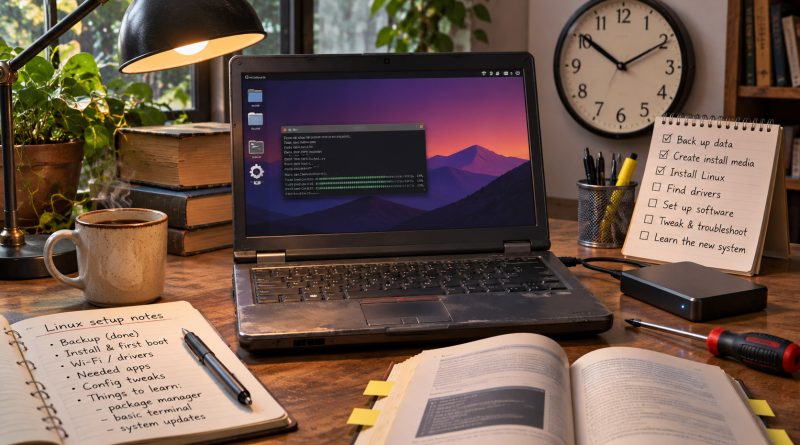
Linux Is Free. My Time Is Not.
The first price I would check before moving an old laptop to Linux is not the one on the download page. It is the one on my calendar.
A free operating system sounds like an obvious answer to an ageing computer. The hardware still works, its existing software is approaching the end of support, and replacing the whole machine feels wasteful. Download something new, install it and carry on.
Except that “carry on” is doing rather a lot of work in that sentence.
Before I can get back to ordinary tasks, I may need to choose a distribution, check compatibility, protect my files, test the installation and learn where everything has moved. If something does not work, I need either the knowledge to fix it or the time to acquire that knowledge.
The download may be free. The work is not.
That does not make me suspicious of Linux. It makes me suspicious of any calculation that treats the licence price as the whole price.
I think of the difference as the self-support premium. It is the time and attention required to turn a technically functioning computer into one I can depend on. Sometimes that premium is tiny. Sometimes it becomes the most expensive part of the exercise.
I Would Start With the Work, Not the Distribution
My first question would not be which version of Linux looks best or attracts the most enthusiastic recommendations. It would be what I need the computer to do.
A spare laptop for browsing, writing and email is one proposition. A primary work machine tied to specialist software, established file formats and client deadlines is another.
If my work depends on a particular creative, audio or engineering application, finding an alternative is only the beginning. I would also need to consider existing projects, collaboration, shortcuts, plug-ins and the time required to become competent again.
An alternative application might be excellent. That does not make the transition effortless.
I would also distinguish between learning something because I find it interesting and learning it because my computer has stopped letting me do my job. The same hour can feel like a worthwhile investment in one situation and an expensive interruption in the other.
Choice adds another layer. The freedom to choose a distribution, desktop and update model is valuable, but each choice asks something of me. I need to understand which instructions apply to my system and whether a suggested fix solves my problem or introduces another.
I would not assume that a rolling-release system is automatically too risky, or that a long-term-support release is automatically the right answer. I would want to know whether the approach suits my hardware, my applications and my tolerance for change.
What I would resist is the suggestion that having more options necessarily means having less work.
A Faster Boot Is Not the Same as a Better Working Week
Performance matters, especially when the point is to keep an older machine useful. But I would be careful about what a performance comparison actually proves.
Lower idle memory use is helpful. A quicker startup is welcome. Neither tells me whether the printer works, the laptop wakes reliably from sleep or the application I need can open the file someone has just sent me.
A distribution can win a boot-time comparison and still lose me an afternoon.
The reverse is also true. A system that is slightly slower in a controlled test might be the better choice if it works consistently and requires less attention. I am not buying a place on a leaderboard. I am trying to get something done.
That is why I would treat both effortless installation stories and disastrous troubleshooting stories as possibilities rather than promises.
An installation that takes 20 minutes and recognises every component would be a very different bargain from one that turns into a weekend of searching for fixes. Neither outcome, on its own, tells me what will happen on my machine.
I would also keep my expectations of the hardware realistic. A lighter operating system may reduce unnecessary overhead, but it cannot remove every limitation of an ageing computer. There is a difference between making a laptop useful again and making it suitable for every modern workload.
For writing and browsing, useful might be more than enough. For demanding production work, it might not.
Sometimes My Time Is the Right Price to Pay
None of this means I would automatically choose a new computer over a Linux installation.
Quite the opposite. Spending time can be entirely rational.
If I already have compatible hardware, a backup of my files and another device available when something goes wrong, an afternoon of setup could be an excellent trade. I might avoid a purchase, extend the life of equipment I already own and gain more control over how it works.
There is also value in learning. I do not think every hour spent understanding a computer should be written off as a loss. Skills can outlast the machine that prompted me to acquire them.
But I would still count those hours.
Enjoying the work does not make it disappear. It changes what I receive in return.
The distinction matters because advice often travels badly between people with different circumstances. A technically confident enthusiast with a spare laptop can reasonably accept risks that someone with one computer and a deadline cannot.
I would not tell the second person that the solution is free simply because the first person found it easy.
Nor would I give commercial operating systems a free pass. Windows, macOS and ChromeOS belong in the same calculation. Setup, maintenance, compatibility, support deadlines and replacement costs all deserve scrutiny.
My comparison would not be Linux against an imaginary alternative that never needs attention. It would be Linux against the actual choices available to me.
At Work, the Cost Changes Hands
For an organisation, the calculation becomes less personal but no less important.
A business can standardise its hardware, train staff and provide technical support. That may make a Linux deployment more practical than expecting every employee to solve problems independently.
But somebody still has to do the work.
If a licence saving creates additional support tickets, training requirements or interruptions, those costs need to appear in the same assessment. Moving an expense from software purchasing to staff time does not, by itself, reduce it.
Equally, I would not dismiss a migration merely because it involves an initial investment. A well-planned change could repay that investment through lower ongoing costs, longer hardware life or simpler administration.
I would want evidence of those benefits in the organisation considering the move, not just confidence borrowed from somebody else’s success.
The questions are practical. Can staff complete their essential tasks? Who owns the support problem? How quickly can a failed machine be restored? What happens when a specialist application or external partner requires something the new system cannot provide?
Without answers, a projected saving is an assumption.
I Want an Audit, Not a Conversion
Before moving an old laptop to Linux, I would make a modest inventory of what matters.
I would begin with essential applications and files. Then I would check the hardware functions I actually use, including Wi-Fi, sound, external displays and sleep. I would decide how much time I was prepared to spend, what would make me stop and how I would recover if the experiment failed.
I would also ask how long I needed the machine to remain useful. Rescuing a spare laptop for occasional use is different from committing to another three years of daily work.
None of this requires a perfectly precise spreadsheet. I cannot predict every fault or assign an exact price to every interruption. But uncertainty is a reason to leave room in the budget, not a reason to pretend the cost is zero.
For me, the attraction of Linux is not that it abolishes responsibility. It is that it can offer a different balance of cost, control and useful life.
That balance may be excellent. It may also be wrong for a particular machine or moment.
I do not need to become a convert or a critic to make that judgement. I need to be honest about what the computer must do, what support is available and how much of my attention I am willing to commit.
A free operating system can be worth every hour it costs.
I just want those hours included in the price.
Free software can look like a bargain until the weekend disappears into drivers, updates and a stubborn sleep mode. A grounding in Linux helps you see that work as a set of system questions: what the machine expects, where a change takes effect and why one successful install says little about the next laptop. That kind of understanding is useful whether you are rescuing old hardware or simply deciding when a saving becomes a transfer of effort. If you want to make that judgement with more than guesswork, explore The Hack Academy’s online cybersecurity training programme, where Linux is one of the listed subject areas and self-paced learning sits alongside practical exercises and theory.