
Fake Cloudflare checks show why a terminal prompt is not a security test
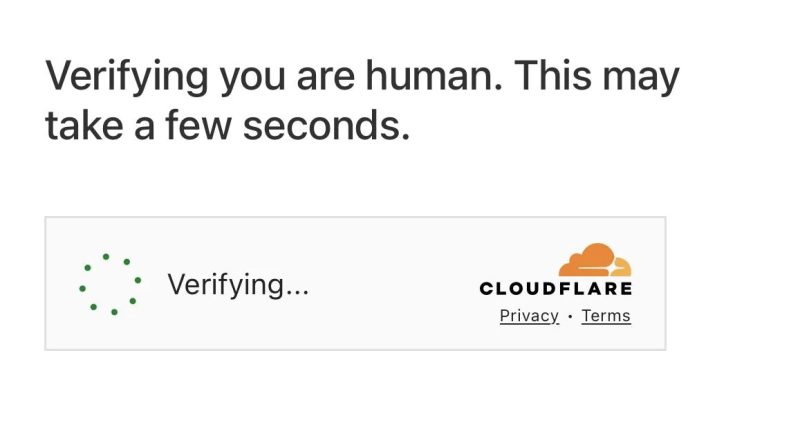
Mashable reported on 1 November 2026 that attackers used fake Cloudflare verification pages in a ClickFix campaign, attributing the discovery to the SANS Technology Institute’s Internet Storm Center. According to the report, visitors arrived at compromised websites, clicked an imitation verification box and were told the check was taking longer than usual. They were then directed to run a command. The instructions differed for Windows and Mac users, and the report Mashable cited listed requests that appeared intended to collect location and IP address information.
The underlying SANS ISC diary was not available in the research material reviewed for this report, so its technical details, discovery date and scale remain unverified. The accessible reporting does establish that the operation impersonated a trusted security check. Nothing in the available material shows that Cloudflare’s verification service was breached or that the campaign exploited a flaw in it.
A security check that hands over execution
ClickFix is a social-engineering technique rather than a software exploit. Mashable described the campaigns as relying on no software or hardware flaw and no malicious file that the visitor is tricked into downloading. The visitor is persuaded to execute a command on their own device, which can download malware or give an attacker access. That describes potential impact, not evidence that any particular visitor suffered unauthorised access or data theft.
The technique works because it moves execution out of the browser and into the operating system. A genuine verification step may ask a visitor to click a box or complete a challenge. It does not need the visitor to open a terminal, PowerShell or the Windows Run dialog. That behavioural line is more useful than trying to judge a page by its logo, because the imitation is designed to look familiar.
Mashable’s account says visitors were instructed to run a command, but it does not establish whether the page copied that command to the clipboard automatically. Other documented campaigns have used that clipboard trick. ThreatLocker reported a Booking.com-themed page that mimicked Cloudflare Turnstile and copied commands to the clipboard when the checkbox was clicked, then told the user to paste and run them. LevelBlue described a fake browser security prompt that directed victims to the Run dialog. Those are separate campaigns, and their indicators should not be treated as interchangeable with the Mashable report.
No patch for a persuasion problem
For the activity Mashable described, a patch or CVE is not the relevant frame. No software vulnerability is described, and the available material establishes no CVE, affected version list or fixed release for the reported campaign. A Cloudflare update would not remove a page that merely copies the appearance of its verification interface. This does not prove that no related software flaw exists anywhere; it means the reported technique is not waiting for a vendor fix.
Microsoft’s TerminalFix activity is a separate case. Estadão, drawing on Microsoft research, reported that it targeted corporate computers with a reverse-tunnel implant. The campaigns reported by Malwarebytes, ThreatLocker and LevelBlue are also distinct, with different lures, infrastructure and payloads. Malwarebytes reported fake Google and Cloudflare pages active since at least late 2025. LevelBlue reported a network of compromised legitimate sites redirecting to fake CAPTCHA pages, with at least six malware families over a confirmed operational window of at least six months. These accounts show how adaptable the pattern is; they do not show that one actor or toolkit sits behind every case.
What remains unknown
For the Mashable and SANS ISC campaign, the payload, number of compromised sites, victim count, countries, data access and threat actor are not established in the available material. There is no confirmed breach, exfiltration or victim outcome to attach to the report. Nor is there a Cloudflare statement about the impersonation. The vendor accounts carry their own limits: they are commercial security researchers, and their malware lists and infrastructure findings have not been independently audited here.
That uncertainty should not be mistaken for reassurance. ClickFix depends on a user action, and a single mistaken paste can be enough to start a chain that the page does not need to deliver through a conventional download. The practical question for a reader is therefore not which malware family is involved, but whether a supposed security check is asking for a kind of action a security check should never require.
How to recognise and respond
Treat a verification page that asks you to open a terminal, Run box or PowerShell and execute a pasted command as hostile. Other warning signs listed by NCSC-NZ include fake CAPTCHA or browser update prompts, full-screen overlays and JavaScript that copies PowerShell, Terminal or shell commands to the clipboard. ThreatLocker also advised caution when a page gives manual instructions instead of performing an automatic check. Claims that action is required, and fake progress messages, can be part of the disguise.
If you clicked a fake check but did not run anything, close the page and do not execute anything that may have been copied to the clipboard. NCSC-NZ’s recovery advice for exposed visitors is to run an endpoint security scan, reset passwords and review the device for signs of compromise. The advisory presents them as recovery guidance, not proof that an infection has been removed.
Compromised legitimate sites, especially WordPress installations, are a documented distribution path for ClickFix. NCSC-NZ advised keeping WordPress core updated, removing unused plugins and themes, monitoring plugin advisories, disabling file editing from the dashboard, enforcing multi-factor authentication and least privilege, auditing accounts, and monitoring file integrity, vulnerabilities, logs and alerts. Removing the visible fake prompt is not enough; the advisory says owners should identify the original route into the site and eliminate persistence that could reintroduce it. Attackers may also show the lure only to real browsers, so testing with ordinary and private sessions, different addresses and devices can help.
The limit of the Australian connection
LevelBlue’s separate campaign listed Australia among the countries whose compromised legitimate sites referred traffic to its fake CAPTCHA domains, and it assessed the activity as opportunistic rather than targeted. The available material does not establish that the campaign Mashable described reached Australia and includes no Australian Cyber Security Centre advisory on this specific report.
The lesson crosses borders. A familiar verification screen is not proof that a security product is involved, and a request to run a command is not an ordinary human check. The remaining question is what the SANS ISC diary would add about the campaign’s payload and reach, not whether a software patch can make the persuasion disappear.
A verification box asks for a click. The reported pages asked for something else: a command pasted into your own machine. Spotting that shift is a skill, and it begins with knowing what a security control is meant to do, which party it actually authenticates and where its authority stops. Cybersecurity fundamentals covers how identity, permission and execution are kept as separate, checkable layers, and why a familiar-looking prompt is no evidence of a trusted check. The Hack Academy’s online cybersecurity training programme sets out those foundations, with self-paced learning and practical exercises alongside the theory, for readers who want to test the boundary between a check and a command.