
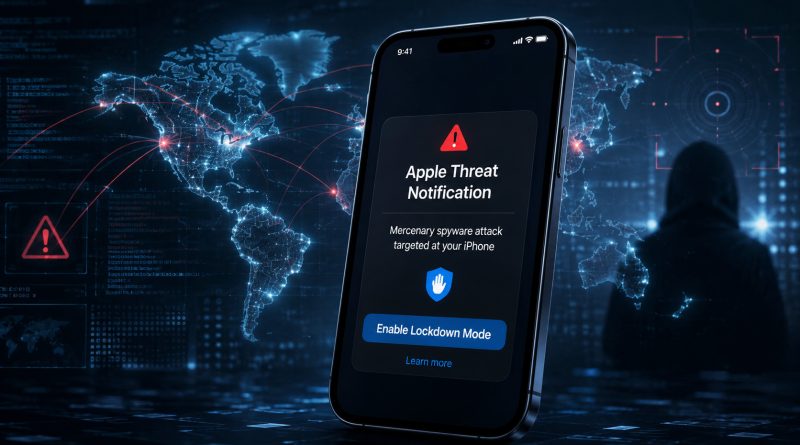
Apple issues mercenary spyware warnings across 110 countries
A new wave of Apple Threat Notifications is reaching people believed to have been individually targeted by sophisticated surveillance tools. Recipients are being urged to verify the warning, activate Lockdown Mode and seek specialist assistance.
Apple has issued a fresh round of security warnings to users it believes have been individually targeted by mercenary spyware, an exceptionally sophisticated form of surveillance technology commonly associated with state-backed operations.
The notifications were sent on Thursday, 13 August 2026, to users in 110 countries. Apple has not disclosed how many individuals received the warning, which countries were most affected, or who may be responsible for the suspected attacks. Since introducing its threat notification system in 2021, the company says it has alerted users in more than 150 countries.
The latest notifications are more difficult to overlook than previous warnings. Apple now displays a prominent Apple Threat Notification on the iPhone Lock Screen and inside the Settings app. The company also sends an email to addresses connected to the recipient’s Apple Account and places a warning at the top of the Apple Account website.
Security organisations have reported an unusually strong response to the latest wave. Access Now, one of the organisations recommended by Apple to help targeted users, reportedly received approximately 30 to 40 per cent more requests for assistance than it typically sees following an Apple spyware notification campaign.
What the warning means
Apple’s spyware notifications are not general alerts sent to every iPhone owner. They are described by the company as high-confidence warnings that a specific person has been selected for targeting, often because of their identity, occupation, relationships or access to sensitive information.
Journalists, activists, politicians, diplomats, government officials and human rights defenders have historically been among the most common targets. However, military personnel, lawyers, executives, researchers and people connected to prominent targets may also face heightened risk.
Receiving the warning does not necessarily confirm that the device was successfully compromised. It means Apple has detected activity consistent with an attempt to target the recipient with mercenary spyware. Apple does not reveal the technical evidence that triggers an alert because doing so could help spyware operators change their methods and avoid future detection.
The company says these campaigns are fundamentally different from ordinary cybercrime. They can cost millions of dollars to develop and operate, are deployed against a very small number of carefully selected people and frequently exploit previously unknown security vulnerabilities.
Previous investigations have shown that some mercenary spyware can infect a device through a zero-click attack, meaning the victim does not need to open an attachment or tap a malicious link. Citizen Lab previously documented the FORCEDENTRY exploit, which used an iMessage vulnerability to install NSO Group’s Pegasus spyware on Apple devices without requiring interaction from the target.
Once installed, advanced spyware may be capable of accessing messages, emails, files, photographs and contact information. Depending on the surveillance product and the level of access obtained, it may also activate a microphone or camera, monitor calls and track a device’s location.
Apple has not publicly connected the August 2026 warning campaign to Pegasus, NSO Group or any other named spyware vendor. The company says it does not attribute its notifications to particular attackers, governments or geographical regions.
Check that the warning is genuine
The prominence of the new alerts could encourage criminals to create fake spyware warnings designed to steal Apple Account credentials.
Apple says a genuine threat notification will never ask the recipient to open an attachment, install an application or configuration profile, follow a link, or provide an Apple Account password or verification code by email or telephone.
Anyone who receives a warning should independently type account.apple.com into a browser and sign in. A genuine Apple Threat Notification will be clearly displayed at the top of the account page. Users should avoid verifying the alert through a link contained in an unsolicited email or text message.
What to do after receiving an alert
The first priority is to update every affected Apple device to the latest available operating system. Software updates frequently contain fixes for vulnerabilities used by spyware operators, including security flaws that may already be under active exploitation.
The recipient should then enable Lockdown Mode on every supported iPhone, iPad and Mac connected to the account. Lockdown Mode is Apple’s most restrictive security setting and is designed specifically for people exposed to rare, highly sophisticated attacks.
On an iPhone or iPad, open Settings, select Privacy & Security, scroll down to Lockdown Mode, and choose Turn On Lockdown Mode. The device will request a restart.
On a Mac, open the Apple menu, choose System Settings, select Privacy & Security, scroll to Lockdown Mode, and turn it on. The Mac will also need to restart. Lockdown Mode must be enabled separately on each iPhone, iPad and Mac, although activating it on an iPhone automatically enables it on a paired Apple Watch.
The setting reduces the number of features an attacker could exploit. It blocks most message attachments and link previews, restricts complex web technologies, limits incoming FaceTime calls and Apple service invitations, removes shared photo albums, strips location information from shared images and places tighter controls on accessory connections.
It also prevents devices from automatically joining insecure Wi-Fi networks, disables 2G and 3G connectivity on supported iPhones and iPads, and blocks the installation of new configuration profiles or device management enrolments. Some websites and services may consequently operate differently while the protection is active.
Apple has said it is not aware of a successful spyware compromise involving a device that already had Lockdown Mode enabled. That does not make the feature an absolute guarantee, but it substantially reduces the device’s available attack surface.
Preserve the device and seek specialist help
Recipients should avoid immediately erasing or factory resetting the suspected device before obtaining professional advice. Access Now warns that erasing it may destroy evidence needed to determine what happened and will not necessarily prevent a later infection attempt.
The organisation recommends backing up the device to preserve potential forensic evidence and contacting a qualified security specialist. Apple directs eligible journalists, activists and other members of civil society to Access Now’s Digital Security Helpline, which operates 24 hours a day, seven days a week.
People dealing with sensitive information should also consider using a separate, trusted device to communicate with investigators. Passwords and account security settings may need to be changed, but those steps should ideally be coordinated with the specialist reviewing the incident.
Protections every Apple user should enable
Most Apple users will never be targeted by mercenary spyware, but the latest warnings are a reminder that basic security controls remain important.
Apple recommends keeping devices updated, protecting them with a strong passcode and Face ID or Touch ID, enabling two-factor authentication, using a unique Apple Account password and installing applications through the App Store. Users should also adopt unique passwords or passkeys for online accounts and avoid opening unexpected links or attachments from unknown senders.
Stolen Device Protection should also be enabled on compatible iPhones. The feature imposes biometric authentication and, for particularly sensitive account changes, a security delay when the device is away from familiar locations. This can prevent someone who has obtained both an iPhone and its passcode from taking control of the owner’s accounts.
For most people, an Apple spyware warning will never appear. For those who do receive one, however, it should be treated as a serious security incident rather than dismissed as spam. Verify the alert independently, update every device, activate Lockdown Mode, preserve potential evidence and obtain expert assistance as quickly as possible.